目次
基本
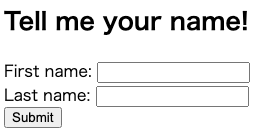
- ソース
<h2>Tell me your name!</h2>
<form method="post" action="processing.php">
First name: <input type="text" name="firstname"><br>
Last name: <input type="text" name="lastname"><br>
<input type="submit" value="Submit" id="submit">
</form>
重要なこと
- 実際にPOSTするURLを探す
- POSTされる変数パラメータをチェック
- この場合、name=’firstname’, ‘lastname’
form.html
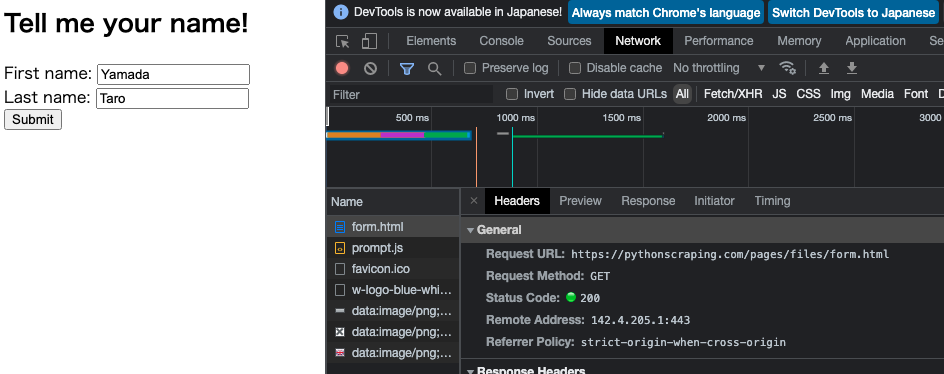
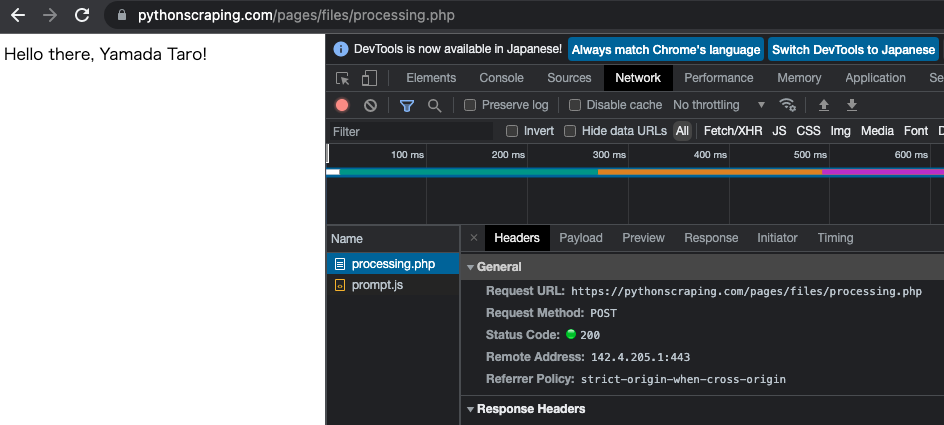
processing.php
- フォーム(form.html)への「POSTリクエスト」(入力データを渡す作業)は
- 上のページではなく、以下の「processing.php」に対して行わなければならない
requestsライブラリでログインする
import requests
params = {'firstname': 'Yamada', 'lastname': 'Taro'}
r = requests.post('https://pythonscraping.com/pages/files/processing.php', data=params)
print(r.text)

# Hello there, Yamada Taro!
カープオフィシャルグッズショップ
基本
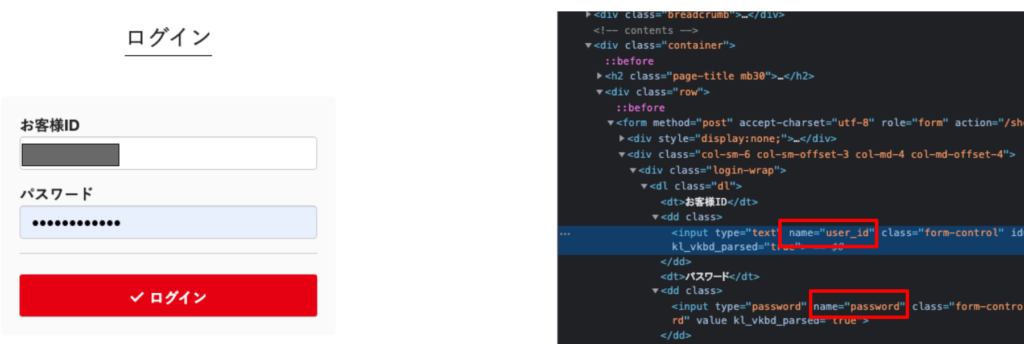
# https://www.shop.carp.co.jp/shop/login

import requests
params = {'user_id': '******', 'password': '********'}
r = requests.post('https://www.shop.carp.co.jp/shop/login', data=params)
r.encoding = r.apparent_encoding # 文字化け回避
print(r.text)

# このHPは上記でログイン後の画面が取得できる
セッション維持したままで遷移
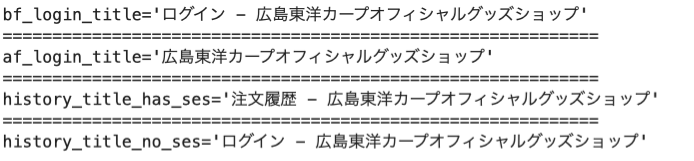
Requestsのsession関数を使うses = requests.Session()- 上記で呼び出された
sessionオブジェクトが、クッキー、ヘッダー、HTTPAdapterのようなHTTP上で実行されるプロトコル情報までまとめて記録管理してくれる・・・(2) - (3)では「history = ses.get(history_url)」で(2)で記録しているセッション情報を使ってgetしているため、ログインされたまま遷移したことになっている
- 逆に(4)では(2)のses情報を使わずにgetしているため、ログアウトされた情報しか取得できていない
# https://www.shop.carp.co.jp/shop/login

import requests
from bs4 import BeautifulSoup
import time

# (1)ログイン前のページタイトル
login_url = 'https://www.shop.carp.co.jp/shop/login'
before_login_html = requests.get(login_url).content
soup1 = BeautifulSoup(before_login_html, 'html.parser')
bf_login_title = soup1.title.text
print(f'{bf_login_title=}')
print("="*60)

# (2)ログイン作業とログイン「後」のページタイトル
params = {'user_id': '******', 'password': '********'}
ses = requests.session()
af_login = ses.post(login_url, data=params)
time.sleep(2)
soup2 = BeautifulSoup(af_login.content, 'html.parser')
af_login_title = soup2.title.text
print(f'{af_login_title=}')
print("="*60)

# (3)ログイン情報を保持した状態で注文履歴へ遷移し、ページタイトルを取得(sessionで取得した変数sesを利用)
history_url = 'https://www.shop.carp.co.jp/shop/history'
history = ses.get(history_url)
soup3 = BeautifulSoup(history.content, 'html.parser')
history_title_has_ses = soup3.title.text
print(f'{history_title_has_ses=}')
print("="*60)

# (4)sessionで取得した情報を使わずに何気にrequests.get()でやると
# ログアウトされたままでアクセスしたことになる
history2 = requests.get(history_url)
soup4 = BeautifulSoup(history2.content, 'html.parser')
history_title_no_ses = soup4.title.text
print(f'{history_title_no_ses=}')