目次
pyautogui
PyGetWindow
PySimpleGUI
リファレンス
- https://www.pysimplegui.org/en/latest/readme%20Japanese/
- GitHub Raw Code
- CallReferenceの画面構成と見方
- The Quick Tour ~忘れたときに見る。ただし長い~
- SDK API Call Reference >> 「sg.main_sdk_help()」
- PySimpleGUI デモ >>> 「psgdemos」
よく使う
- Popup Simple
- Popup Input ( popup_get_text/file/folder )
- Debug Output
- “Chooser” Buttons ( CalenderButton, File(s)Browse, FileSaveAs, FolderBrowse 、画面上から検索すれば見つかる)
- sg.set_options(font=’Default 12′) or (font=(‘Meiryo UI’,12))
- 「pip show PySimpleGUI」 でパッケージの場所(Location)を検索する
- その場所を開き、「PySimpleGUI」> PySimpleGUI.pyを開き、スクリプトを確認可
API
基本形
import PySimpleGUI as sg

# Define the window's contents
layout = [[sg.Text("What's your name?")],
          [sg.Input(key='-INPUT-')],
          [sg.Text(size=(40,1), key='-OUTPUT-')],
          [sg.Button('Ok'), sg.Button('Quit')]]

# Create the window
window = sg.Window('Window Title', layout)

# Display and interact with the Window using an Event Loop
while True:
    event, values = window.read()
    # See if user wants to quit or window was closed
    if event == sg.WINDOW_CLOSED or event == 'Quit':
        break
    # Output a message to the window
    window['-OUTPUT-'].update('Hello ' + values['-INPUT-'] + "! Thanks for trying PySimpleGUI")

# Finish up by removing from the screen
window.close()
各Element
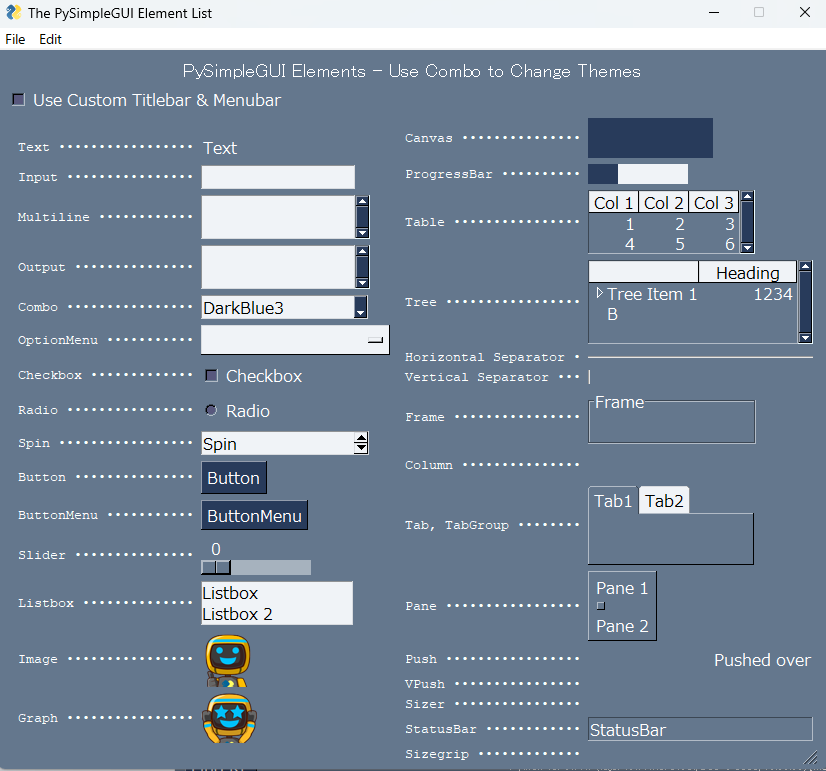
備忘メモ
スクリプト
ファイルを指定
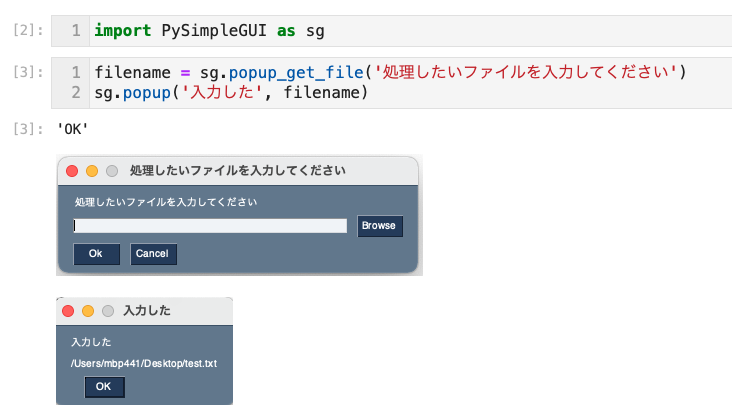
フォルダを指定
import PySimpleGUI as sg

result = sg.popup_get_folder("フォルダを選択してください")
print(result)
プログレスメーター
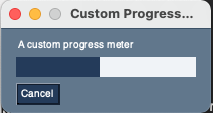
import PySimpleGUI as sg

# layout the window
layout = [[sg.Text('A custom progress meter')],
          [sg.ProgressBar(1000, orientation='h', size=(20, 20), key='progressbar')],
          [sg.Cancel()]]

# create the window`
window = sg.Window('Custom Progress Meter', layout)
progress_bar = window['progressbar']
# loop that would normally do something useful
for i in range(1000):
    # check to see if the cancel button was clicked and exit loop if clicked
    event, values = window.read(timeout=10)
    if event == 'Cancel'  or event == sg.WIN_CLOSED:
        break
  # update bar with loop value +1 so that bar eventually reaches the maximum
    progress_bar.UpdateBar(i + 1)
# done with loop... need to destroy the window as it's still open
window.close()
フォルダ選択、ファイル選択(個別)
import PySimpleGUI as sg
import subprocess
import sys
import os

"""
USAGE:import
from mylib.select_file_and_folder import select_file
from mylib.select_file_and_folder import select_folder
"""

def abort_process():
    sg.popup(f'処理を中断します:')
    sys.exit()

def select_folder(message, title=None, initial_folder=None):

    try:
        dir_p_str = sg.popup_get_folder(message, title=title, initial_folder=initial_folder)

        if os.path.exists(dir_p_str):
            sg.popup(dir_p_str, title='選択されたフォルダ')
            return dir_p_str
        else:
            abort_process()

    except Exception as ex:
        abort_process()

def select_file(message, title=None, initial_folder=None):

    try:
        dir_p_str = sg.popup_get_file(message, title=title, initial_folder=initial_folder)

        if os.path.exists(dir_p_str):
            sg.popup(dir_p_str, title='選択されたファイル')
            return dir_p_str
        else:
            abort_process()

    except Exception as ex:
        abort_process()

def main():
    work_dir_1 = select_folder( message='作業フォルダを選んでください',
                                title='FIT納付金申請の作業用フォルダ',
                                initial_folder=r"C:\Users\yoshi\OneDrive\デスクトップ")

    file_1 = select_file(   message='ファイル1を選んでください',
                            title='ファイル1',
                            initial_folder=r"C:\Users\yoshi\OneDrive\デスクトップ"
                        )

    file_2 = select_file(   message='ファイル2を選んでください',
                            title='ファイル2',
                            initial_folder=r"C:\Users\yoshi\OneDrive\デスクトップ",
                        )

    file_3 = select_file(   message='ファイル3を選んでください',
                            title='ファイル3',
                            initial_folder=r"C:\Users\yoshi\OneDrive\デスクトップ",
                        )

    print('作業フォルダ:{}\nファイル1:{}\nファイル2:{}\nファイル3:{}'.format(work_dir_1, file_1, file_2, file_3))

if __name__ == '__main__':
    main()
フォルダ選択、ファイル選択(複数を一括)
import PySimpleGUI as sg

"""複数のファイルやフォルダを選択するGUI

Parameter:
-------------------------
None

Return:
-------------------------
各ファイル、フォルダのPATH: str

"""

# 所定の格納場所
INIT_file1 = "/Users/mbp441/Desktop"
INIT_file2 = "/Users/mbp441/Desktop/github"
INIT_folder1 = "/Users/mbp441/Desktop/github/PYTHON"

def get_multi_target_path():
    layout = [
        [sg.Text('説明文')],
        [sg.Text('ファイル 1', size=(15, 1)),
            sg.InputText(key='-file1-'),
            sg.FileBrowse(initial_folder=INIT_file1)],
        [sg.Text('ファイル 2', size=(15, 1)),
            sg.InputText(key='-file2-'),
            sg.FileBrowse(target='-file2-', initial_folder=INIT_file2)],
        [sg.Text('フォルダ 1', size=(15, 1)),
            sg.InputText(key='-folder1-'),
            sg.FolderBrowse(target='-folder1-', initial_folder=INIT_folder1)],
        [sg.Submit(), sg.Cancel()]]

    window = sg.Window('File Compare', layout)
    event, values = window.read()
    window.close()
    return event, values

def main():

    button, values = get_multi_target_path()
    file1, file2, folder1 = values['-file1-'], values['-file2-'], values['-folder1-']


    if any((button != 'Submit', file1 == '', file2 == '', folder1 == '')):
        sg.popup_error('処理を中断します')
        return

    sg.popup(
        "選択されたファイル",
        f'ファイル1: {file1}',
        f'ファイル2: {file2}',
        f'フォルダ1: {folder1}',
        )

if __name__ == '__main__':
    main()
日付を取得
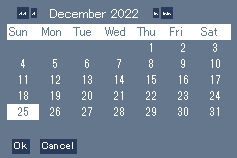
- sg.popup_get_date()
- 戻り値:タプル (month, day, year)
import PySimpleGUI as sg
from datetime import datetime, date

def get_date_gui():
    """GUIから日付を取得.

    Parameters
    ----------------------------
    -

    Returns
    ----------------------------
    tg_date:    date
    """
    try:
        date_tuple = sg.popup_get_date()
        m, d, y = date_tuple[0], date_tuple[1], date_tuple[2]
        tg_date = date(y, m, d)
        return tg_date
    except Exception as ex:
        sg.popup('処理を中断します')
        sys.exit()

print(get_date_gui())